From an idea to app release - and struggles that come along the way
Reading time:
9 minutes
Summary
ENSO is an in-house app that we created at MOBGEN and is used to facilitate and run design sprints. I was part of a small in-house team that was working on the design and development of the app during our free time.
My role
As it started as a side project, in the beginning, I had to take over multiple roles and work closely with other team members. I did the majority of design work for the alpha release and have together with a developer and product owner prioritized the features. First release needed to be manageable to release but still bring value to the user.
After a successful alpha release, the project got a lot of in-house tracking and internal funding to create a public release with more functionality. I took a more strategic role in managing new features and finding the market value of the app while also giving guidance on user experience and visual design.
Let’s talk about the timer
Feature as simple as the timer can get quite complicated if it needs to be tailored for a wide range of different use cases. During design, sprint exercises can last from 1 min to 90 min, so timer must be adaptable to meet the needs of all cases.
The timer in an alpha release was inspired by egg timer - sliding to set - as it has proven (with quick user testing) to be fun and most versatile. But it was lacking more intuitive adjusting and was displaying only minutes.
Set the timer and running timer screens from alpha release - the egg slider was fun to use, but did not offer intuitive experience and was not displaying seconds.
We have decided to create wireframes and run user testing with a wireframe prototype before diving into the design for the second release.
We tested 3 variations with users. Result: everyone was fond of an egg timer, as it was easy and fun to use. But the suggestion was to make it more intuitive with already setting the timer to the needed value.
After user testing, we did a bit more exploration on the behavior and visual looks of the timer in the design phase. I was working together with a designer, testing different options and refining the experience of the timer.
By learnings from an alpha release, user testing, and several different explorations, we have decided on the egg timer (horizontal scroll) with a button to add or remove 15 seconds (based on discussions with design sprint facilitators, who suggested that quarter minute support is enough). Each event has a pre-set timer value in the back-end which pre-fills the timer.
After the learnings from user testing, we worked on different explorations.
When the timer is accessed from the event, it is pre-filled with the needed value.
Let’s change the order of exercises
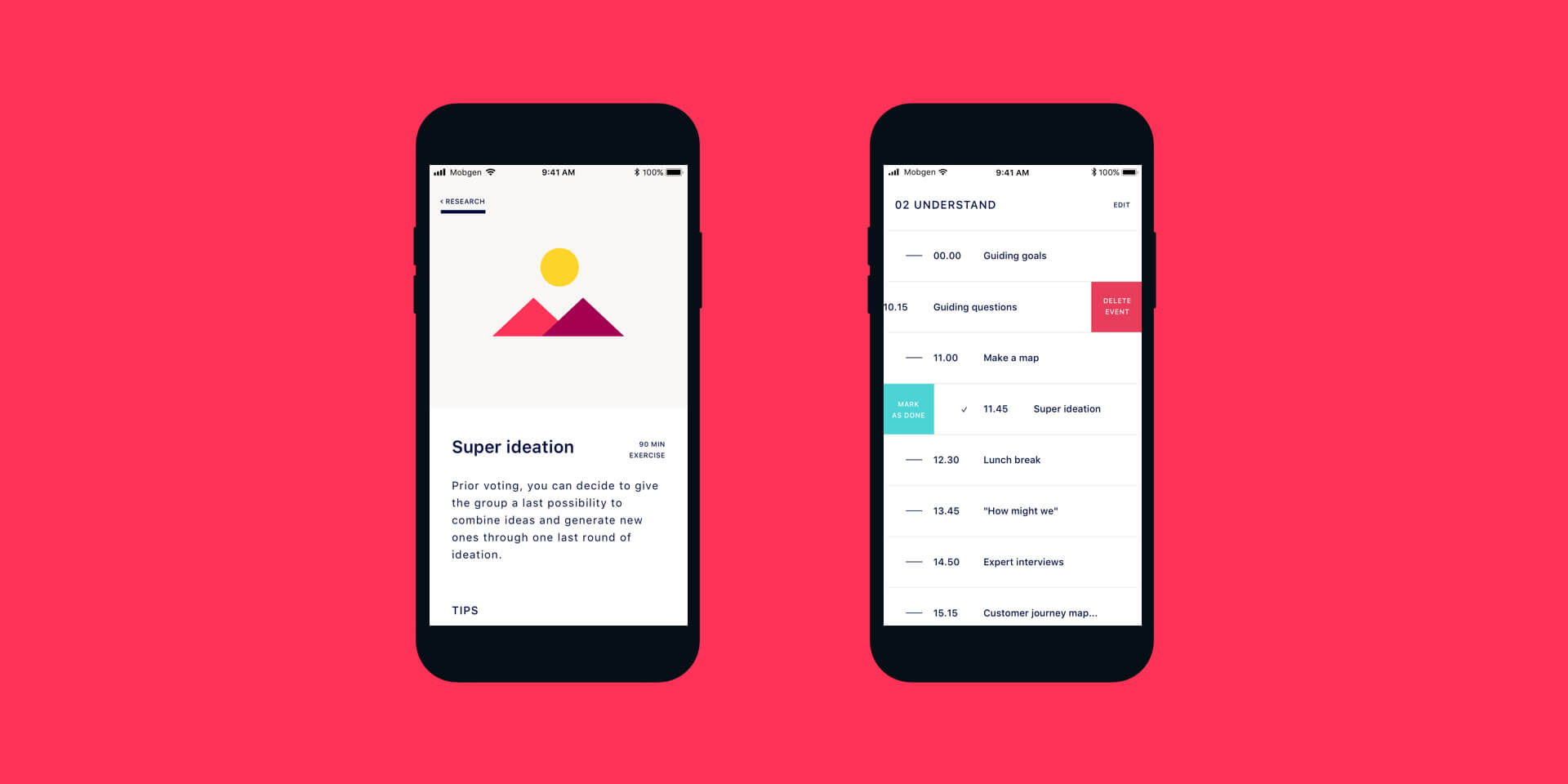
The biggest advantage of using the app in design sprint over the old fashioned printed (or keynote) agenda, is an option to quickly manipulate the agenda - quickly changing the order of exercises, removing or adding some or just shifting the starting time.
In the alpha release, we had to drop this feature as it required a bit more thought on execution and more development power. So as a backup solution, facilitators could change the agenda via the HALO (which is MOBGEN’s in-house CMS system).
We have decided on two different levels of editing sprint contents - on the first level (from sprint overview) users can change sprint duration (number of days), name and starting time of each day, on second level (from day view) users can toggle edit mode from where they can rearrange exercises, remove them or add new ones.
Sprint and day overview of the alpha release - there is no way to change the order of exercises in an app, it needs to be done via an external CMS system.
We ran user testing with wireframe prototype - important learning was that iconography isn't always clear to all users. Also, the majority of users expected to swipe behavior to delete an event.
Replacing settings icon with simple wording makes it more clear.
How to use ENSO in our advantage
After alpha release got several tractions in-house, the most important discussion was about how will we manage the next release, how we will release it and value that it would bring to the users and company.
Making an app, of course, is not free and offering features publicly for free does not look good for the future of the app. Also, because the app is made for very niche users, making it paid (or subscription based) can make it a lot less attractive.
MOBGEN Accenture Interactive is running many design sprints, so the features provided by ENSO are reducing the time of preparation for sprint and provide easier running and participating in the sprint. We wanted to leverage ENSO to bring prospective clients to MOBGEN while giving them enough autonomy to run first design sprints themselves.
ENSO now has 2 different releases, the public one (which is available in App Store and Google Play Store) with limited functionality (but still enough to successfully run a sprint) and power edition which is used in-house or white-labelled to different clients.